Getting started

How It Works

From creating an account to submitting your first investment request — here's the full path, in four steps. Everything after Step 4 is reviewed and confirmed by our team, not an automated payment.

4 steps About 10 minutes to submit a request
  1. 1
    Step 1

    Open an account

    Sign up with your email in a couple of minutes. No paperwork, no branch visits.

  2. 2
    Step 2

    Complete KYC

    Verify your identity so we can confirm who you are and keep the platform secure. Keep your Aadhaar and PAN (number + a clear photo or scan of each) handy — upload both and we read the details for you. Our team reviews it and emails you once approved.

  3. 3
    Step 3

    Review the opportunity

    Browse vetted properties, check the returns, lock-in period, risk label and documents before deciding.

  4. 4
    Step 4

    Submit an investment request (EOI)

    Your Expression of Interest (EOI): pick your amount and submit it. Our team reviews it and follows up — no payment is taken online.

Right after you sign up

Your first two steps

There are two separate things to do, in any order. Each one is shown below with the real screens. You can also download the one-page guide to keep or share.

EOI
Expression of Interest. You tell us which property you like.
KYC
Identity check. You give us your PAN and Aadhaar details, once.
EOI

Tell us you are interested

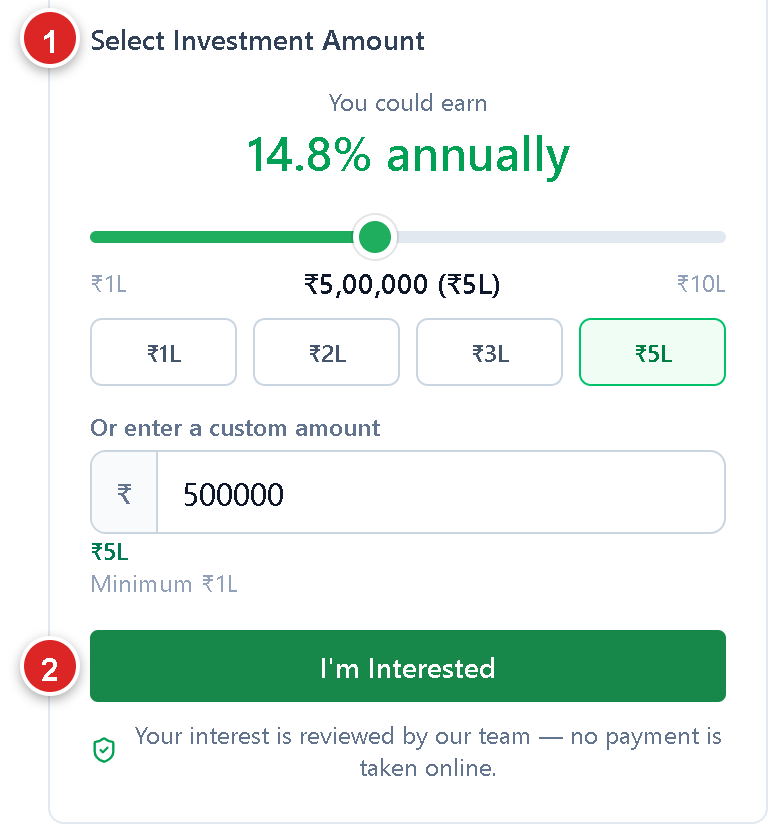
1. Pick a property and an amount

Log in, open Properties and open a property you like.

  1. 1Choose your amount.
  2. 2Tap I'm Interested.
The amount selector on a property page, with a red 1 on Select Investment Amount and a red 2 on the I'm Interested button

2. Send it

A form opens with your details already filled in.

  1. 1Check your amount and phone number.
  2. 2Tap Submit inquiry. This sends your EOI.
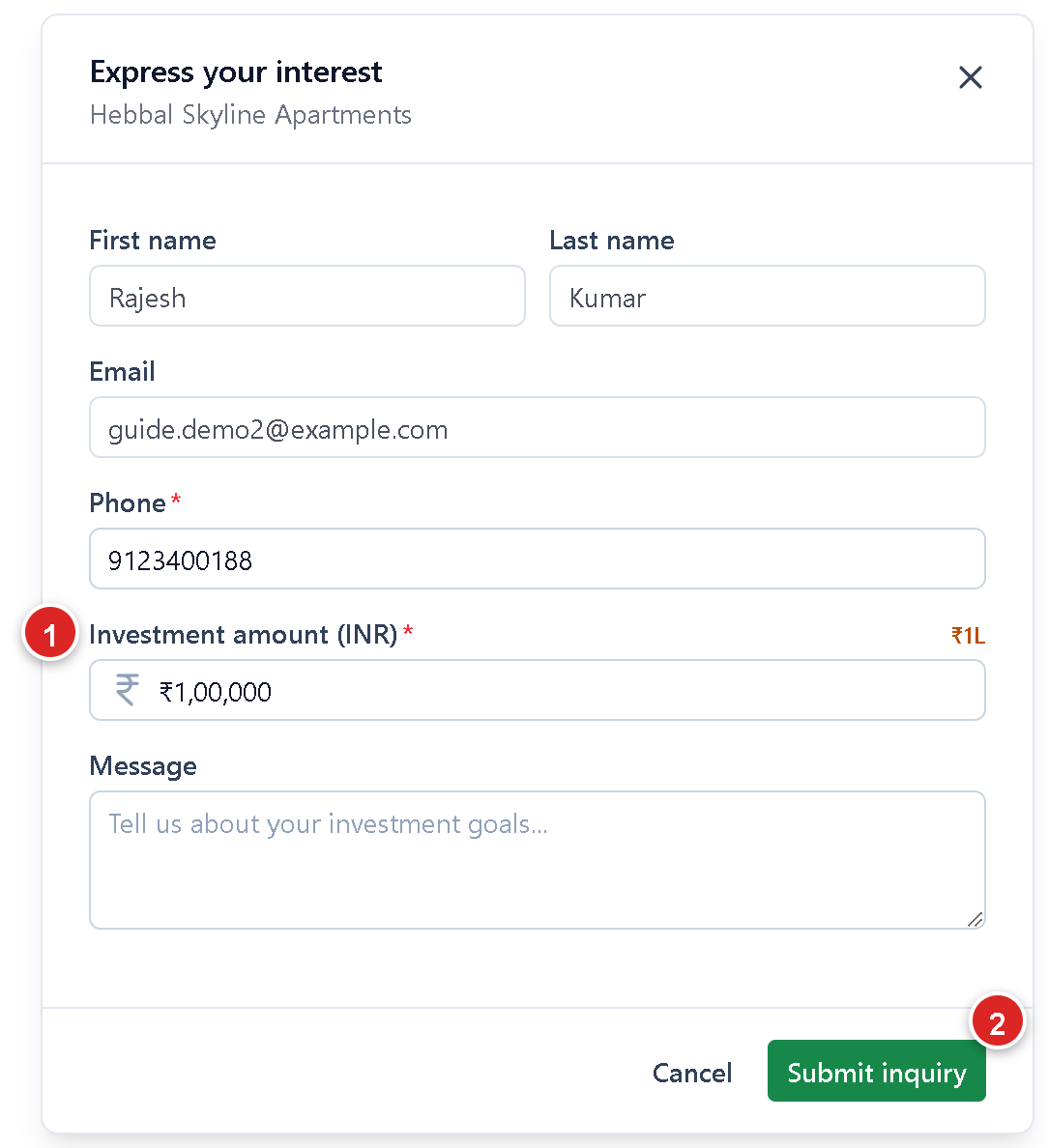
The Express your interest form, with a red 1 on the investment amount and a red 2 on the Submit inquiry button

You will see "Inquiry submitted". No payment is taken on the website. Our team will call you after this, on the phone number you registered with. Made a mistake? Open the property and tap Edit your interest, any time before our team reaches out.
KYC

Verify your identity

Do it any time. It is one time only, and we remind you if you forget.

Start

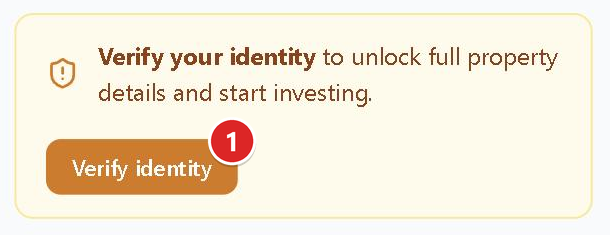
On your Dashboard, tap Verify identity.

The Dashboard banner with a red 1 on the Verify identity button

Fill the form

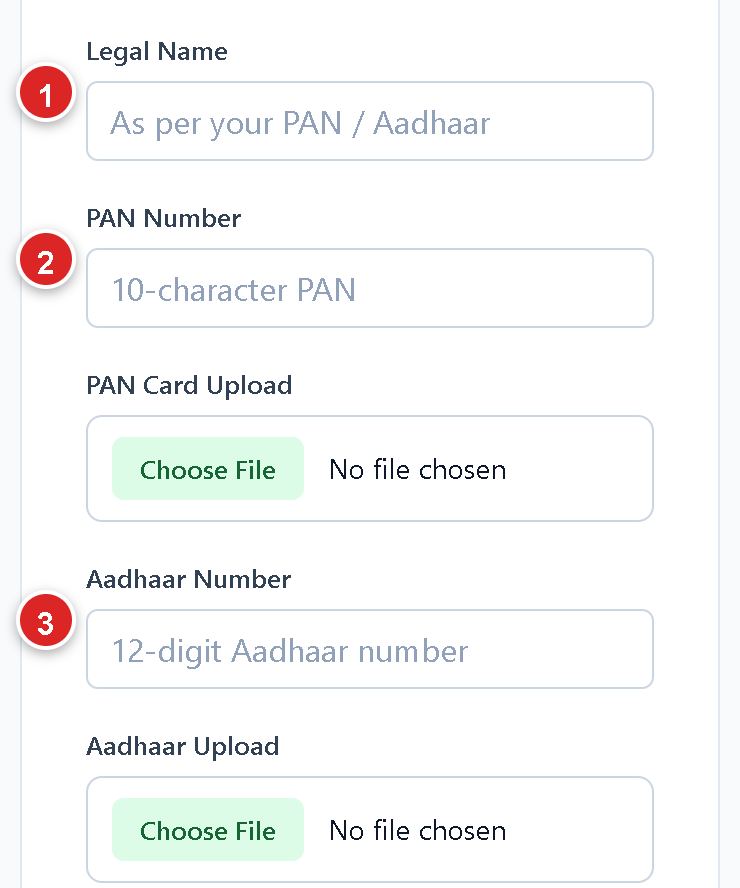
  1. 1Your legal name.
  2. 2PAN number, and a photo of your PAN card.
  3. 3Aadhaar number, and a photo of your Aadhaar.
The KYC form: legal name, PAN number and PAN card upload, Aadhaar number and Aadhaar upload, marked 1, 2 and 3
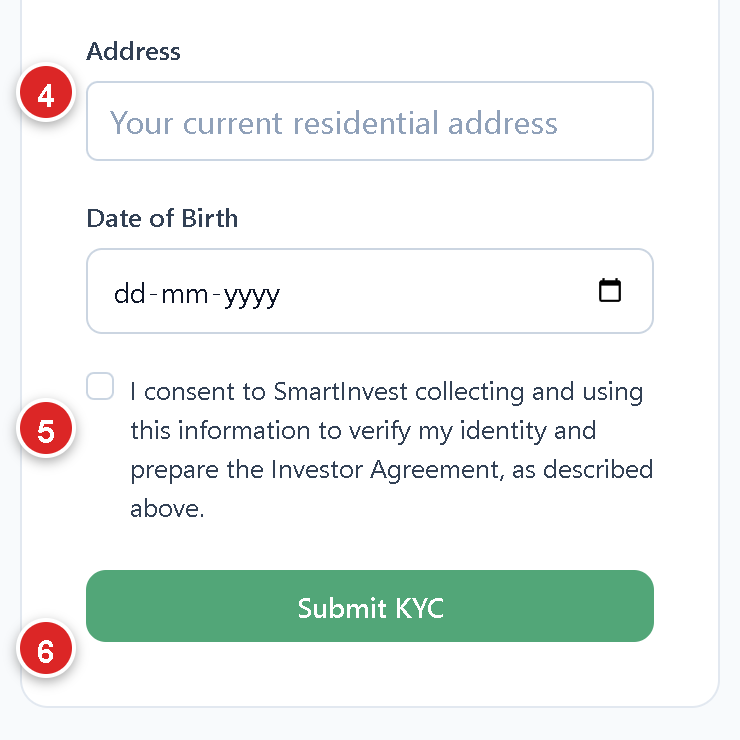
  1. 4Your address and date of birth.
  2. 5Tick the consent box.
  3. 6Tap Submit KYC.
The KYC form: address, date of birth, consent box and Submit KYC button, marked 4, 5 and 6

Keep your PAN and Aadhaar ready. Photos should be clear and readable. We tell you by email and WhatsApp when your KYC is approved.

Ready to get started?

Create an account and browse open opportunities today.